> For the complete documentation index, see [llms.txt](https://docs.trojan.com/llms.txt). Markdown versions of documentation pages are available by appending `.md` to page URLs; this page is available as [Markdown](https://docs.trojan.com/trading-on-trojan/trade-page/trade-panel.md).

# Trade Panel

The Heart of the main Trade Page is the Trade Panel: it's where the action is!

<div data-full-width="true"><figure><img src="https://929272793-files.gitbook.io/~/files/v0/b/gitbook-x-prod.appspot.com/o/spaces%2F7NS5fH98vYksfOLmRuJn%2Fuploads%2FQ0qtCv9II4Zp8NDEYBp3%2FTrade%20screen%20panel%20highlighted%204k.png?alt=media&amp;token=be24c3b4-369d-4197-8044-d74d31b63f35" alt="Full Screen shot of the Trade page, with the Trade Panel highlighted" width="563"><figcaption><p>The Trade Panel on the right side of the Trade Page provides trading controls and token insights.</p></figcaption></figure></div>

{% hint style="info" %}
To jump right to the Trading portion of the Trade Panel follow this link - [Swaps](/trading-on-trojan/trojan-swaps.md), or take a look below at some of the features the Trade Panel has to offer.
{% endhint %}

## Key Functions

### Token Card

{% columns %}
{% column valign="middle" %}

<figure><img src="https://929272793-files.gitbook.io/~/files/v0/b/gitbook-x-prod.appspot.com/o/spaces%2F7NS5fH98vYksfOLmRuJn%2Fuploads%2FBA6OdAhKmMgVpaxDLb4e%2Ffartcoin%20token%20card%20trade%20panel.png?alt=media&amp;token=c95032c4-df2c-4af4-a437-73c465c38d3b" alt="A sample token card taken from the trade panel"><figcaption></figcaption></figure>
{% endcolumn %}

{% column valign="middle" %}
The Token Card is the anchor of the Trade Panel. &#x20;

* Copy the CA.
* Add to watchlist.&#x20;
* Check out the liquidity pools.
  {% endcolumn %}
  {% endcolumns %}

{% hint style="info" %}
The position of the Token Card can be moved to above the chart in the Trade Page tab in [Settings ](/trojan-basics/settings.md)
{% endhint %}

{% columns %}
{% column valign="middle" %}
Hover over the token name on the **Token Card** to open a quick links menu. Copy the contract address, copy the token name, or search for the token on Google, X, or within Trojan.
{% endcolumn %}

{% column %}

<figure><img src="https://929272793-files.gitbook.io/~/files/v0/b/gitbook-x-prod.appspot.com/o/spaces%2F7NS5fH98vYksfOLmRuJn%2Fuploads%2FdZB3bVGZpN4wv0CnkW5L%2Fhover%20token%20name%20search.png?alt=media&amp;token=11d66eb5-2a93-4e1b-a2fd-f516e0696c51" alt=""><figcaption></figcaption></figure>
{% endcolumn %}
{% endcolumns %}

{% columns %}
{% column valign="middle" %}

<figure><img src="https://929272793-files.gitbook.io/~/files/v0/b/gitbook-x-prod.appspot.com/o/spaces%2F7NS5fH98vYksfOLmRuJn%2Fuploads%2FMNycnb6npAtFgjWuxAZB%2Ftoken%20card%20socials%20links.png?alt=media&amp;token=3a5ced5e-c13f-4446-9124-5fdf0b566ae9" alt="A close-up of the icons underneath the token card that link to social media, etc."><figcaption></figcaption></figure>
{% endcolumn %}

{% column valign="middle" %}
In the bottom half of the Token Card you'll find links to:

* Socials
* Launchpad listings
* **Dexscreener Paid** Confirmation
* **Pump Cashback** status, if enabled for that token.
* Solscan and More!
  {% endcolumn %}
  {% endcolumns %}

***

### Security Audit

{% columns %}
{% column %}
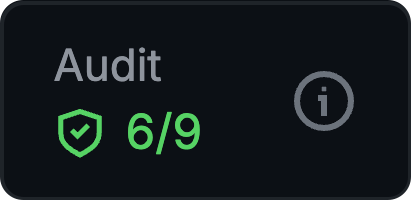
Quickly access Audit Results by hovering over the Audit card OR in the dropdown below the swap module.
{% endcolumn %}

{% column %}

<figure><img src="https://929272793-files.gitbook.io/~/files/v0/b/gitbook-x-prod.appspot.com/o/spaces%2F7NS5fH98vYksfOLmRuJn%2Fuploads%2F95PgcdQ4Xerslgl0e0KO%2Fmouse%20over%20audit%20button.png?alt=media&amp;token=dfe15363-bcf9-4c4e-a48c-6eabc51f49fa" alt="Close-up of the audit results that the user hovers their mouse over to see details" width="206"><figcaption></figcaption></figure>
{% endcolumn %}
{% endcolumns %}

{% columns %}
{% column valign="middle" %}
Trojan provides **in-depth token** **audits** for every token, **highlighting potential risk factors.** The audit evaluates key metrics, including:

* Token ownership statistics;
* Launch distribution;&#x20;
* Token contract functions and mechanics;
* Dev Holdings and so much more.
  {% endcolumn %}

{% column valign="middle" %}

<figure><img src="https://929272793-files.gitbook.io/~/files/v0/b/gitbook-x-prod.appspot.com/o/spaces%2F7NS5fH98vYksfOLmRuJn%2Fuploads%2Fz2MC07DLhXoTpoin76RL%2Fdetailed%20audit%204k.png?alt=media&amp;token=a131db29-e026-4e77-ad11-c1ba63307c3e" alt="A display of audit results.  Information within is just a sample"><figcaption></figcaption></figure>
{% endcolumn %}
{% endcolumns %}

***

### Token Statistics

{% columns %}
{% column valign="middle" %}

* Click across four timeframes (5M, 1H, 6H, 1D) to **view key stats**.
* Current Price, Fees Paid, [Audit Score](#security-audit), 24H Volume, Liquidity. Buys and Sells, Tx, Volume, Makers.

{% hint style="info" %}
**Fees Paid** displays real-time validator fees paid for this token. **Hover to see the breakdown of Gas Fees versus Trading App Fees**, helping detect potential bundled launches by comparing fees to volume and market cap. ![](https://929272793-files.gitbook.io/~/files/v0/b/gitbook-x-prod.appspot.com/o/spaces%2F7NS5fH98vYksfOLmRuJn%2Fuploads%2FnvBGsF3lMnZXaIXxTDxF%2FFees%20paid%20breakdown.png?alt=media\&token=cb383285-a865-456f-918f-1ead62b7dde1)
{% endhint %}
{% endcolumn %}

{% column valign="middle" %}

<figure><img src="https://929272793-files.gitbook.io/~/files/v0/b/gitbook-x-prod.appspot.com/o/spaces%2F7NS5fH98vYksfOLmRuJn%2Fuploads%2FLBGjvt76yf4EpliE6VLT%2Ftoken%20stats%20fartcoin.png?alt=media&amp;token=2f8e0dda-de66-4910-a39b-308e3434b5e8" alt="A portion of the trade panel, which depicts basic token info"><figcaption></figcaption></figure>
{% endcolumn %}
{% endcolumns %}

***

### Swap Module

{% columns %}
{% column valign="middle" %}
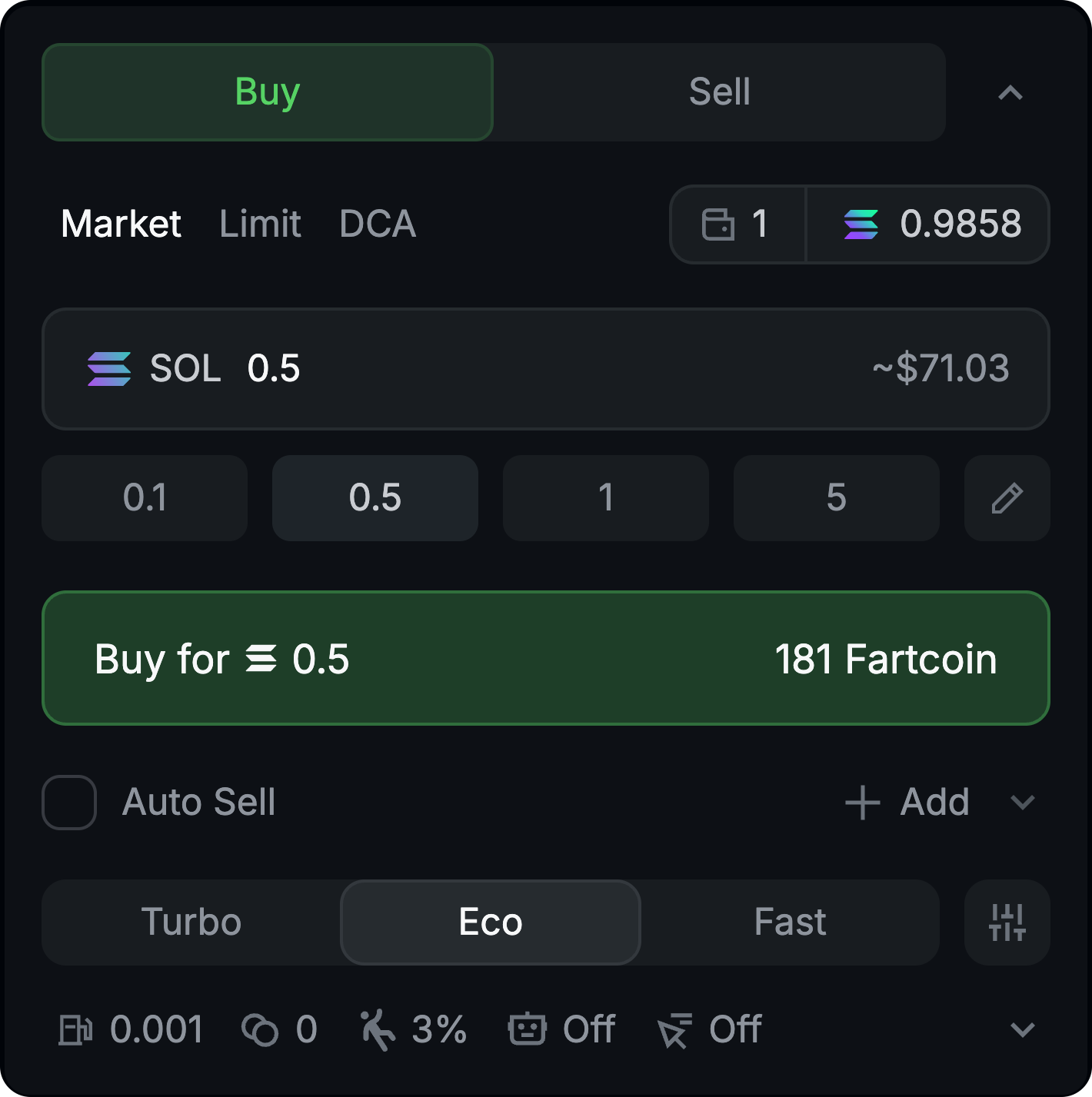
The Swap Module is where you **make your trades.** Dial in your settings and let it fly.&#x20;

{% hint style="success" %}
For an in-depth discussion on swap types and step-by-step guidance head to: [Swaps](/trading-on-trojan/trojan-swaps.md)&#x20;
{% endhint %}

{% endcolumn %}

{% column valign="middle" %}

<figure><img src="https://929272793-files.gitbook.io/~/files/v0/b/gitbook-x-prod.appspot.com/o/spaces%2F7NS5fH98vYksfOLmRuJn%2Fuploads%2FCu5ivKi7arq2ERoaC9Rr%2FSwap%20Module%204k.png?alt=media&amp;token=b06e63e5-259d-4775-82e5-7ee0e3fe84cf" alt="This is the part of the trade panel, we call the swap module. Depicted is just a sample market buy."><figcaption></figcaption></figure>
{% endcolumn %}
{% endcolumns %}

***

## Additional Insights

Need more information? Check these other drop-downs. You won't always look at everything but, Trojan delivers everything you need.&#x20;

### HolderScan

{% columns %}
{% column width="50%" valign="middle" %}
Are other traders offloading or\
jumping on board?\
\
**HolderScan** has the answer.
{% endcolumn %}

{% column width="50%" valign="middle" %}

<figure><img src="https://929272793-files.gitbook.io/~/files/v0/b/gitbook-x-prod.appspot.com/o/spaces%2F7NS5fH98vYksfOLmRuJn%2Fuploads%2FdQ2uAojQZoqblP9hVe7N%2Fholderscan%204k.png?alt=media&amp;token=2a56804b-6572-4771-9396-c3952ff60af8" alt="A sample image of the holder scan, which is near the bottom of the trade panel." width="188"><figcaption></figcaption></figure>
{% endcolumn %}
{% endcolumns %}

***
### Dev Scanner

{% columns %}
{% column valign="middle" %}
Use **Dev Scanner** to see what else\
the Dev has launched.
{% endcolumn %}

{% column valign="middle" %}

<figure><img src="https://929272793-files.gitbook.io/~/files/v0/b/gitbook-x-prod.appspot.com/o/spaces%2F7NS5fH98vYksfOLmRuJn%2Fuploads%2FIVKKaeolGgSM3j71Z8s0%2Fdev%20scanner.png?alt=media&amp;token=1ccfe323-770b-494d-9d20-8a5129bb0f9b" alt="Sample image of the Dev Scanner" width="178"><figcaption></figcaption></figure>
{% endcolumn %}
{% endcolumns %}

***

### Similar Tokens

{% columns %}
{% column valign="middle" %}
Want to protect yourself from copycats?

Looking for Alpha in a sea of Betas?

**Similar Tokens** is your landing spot.
{% endcolumn %}

{% column valign="middle" %}

<figure><img src="https://929272793-files.gitbook.io/~/files/v0/b/gitbook-x-prod.appspot.com/o/spaces%2F7NS5fH98vYksfOLmRuJn%2Fuploads%2FpRLXMgXvYPn9KgnRniv2%2Fsimilar%20tokens.png?alt=media&amp;token=c97fdea2-50bf-4a22-a5fb-3f98277c85d0" alt="Sample image of the Similar Tokens panel" width="176"><figcaption></figcaption></figure>
{% endcolumn %}
{% endcolumns %}

***

### Holder Analytics

{% columns %}
{% column width="50%" valign="middle" %}
Who are the major players in this token?\
\
What was the bundle like?\
\
Find out with **Holder Analytics**.
{% endcolumn %}

{% column width="50%" valign="middle" %}

<div align="center" data-full-width="false"><figure><img src="https://929272793-files.gitbook.io/~/files/v0/b/gitbook-x-prod.appspot.com/o/spaces%2F7NS5fH98vYksfOLmRuJn%2Fuploads%2FhaigOsB6ifQDQpJJB9B9%2Fholder%20analytics.png?alt=media&amp;token=744f0961-1988-4388-a835-8ade111e256e" alt="A partial view of the holder analytics panel. Sample image whose data depicted is not important." width="177"><figcaption></figcaption></figure></div>
{% endcolumn %}
{% endcolumns %}

***
### Token Performance

{% columns %}
{% column width="50%" valign="middle" %}
How far are we from a token's ATH?\
\
**Performance** has your answer!
{% endcolumn %}

{% column width="50%" valign="middle" %}

<figure><img src="https://929272793-files.gitbook.io/~/files/v0/b/gitbook-x-prod.appspot.com/o/spaces%2F7NS5fH98vYksfOLmRuJn%2Fuploads%2Ft1WxOCJrwkbZIbBXWuPb%2Ftoken%20performance.png?alt=media&amp;token=268d517f-6dfe-47b9-8326-f96321a7b5a5" alt="Close-up shot of the performance panel. Dated depicted is just a sample." width="178"><figcaption></figcaption></figure>
{% endcolumn %}
{% endcolumns %}

***
