> For the complete documentation index, see [llms.txt](https://docs.trojan.com/llms.txt). Markdown versions of documentation pages are available by appending `.md` to page URLs; this page is available as [Markdown](https://docs.trojan.com/trading-on-trojan/trade-page/trade-panel.md).
# Trade Panel
The Heart of the main Trade Page is the Trade Panel: it's where the action is!
The Trade Panel on the right side of the Trade Page provides trading controls and token insights.
{% hint style="info" %}
To jump right to the Trading portion of the Trade Panel follow this link - [Swaps](/trading-on-trojan/trojan-swaps.md), or take a look below at some of the features the Trade Panel has to offer.
{% endhint %}
## Key Functions
### Token Card
{% columns %}
{% column valign="middle" %}
{% endcolumn %}
{% column valign="middle" %}
The Token Card is the anchor of the Trade Panel.
* Copy the CA.
* Add to watchlist.
* Check out the liquidity pools.
{% endcolumn %}
{% endcolumns %}
{% hint style="info" %}
The position of the Token Card can be moved to above the chart in the Trade Page tab in [Settings ](/trojan-basics/settings.md)
{% endhint %}
{% columns %}
{% column valign="middle" %}
Hover over the token name on the **Token Card** to open a quick links menu. Copy the contract address, copy the token name, or search for the token on Google, X, or within Trojan.
{% endcolumn %}
{% column %}
{% endcolumn %}
{% endcolumns %}
{% columns %}
{% column valign="middle" %}
{% endcolumn %}
{% column valign="middle" %}
In the bottom half of the Token Card you'll find links to:
* Socials
* Launchpad listings
* **Dexscreener Paid** Confirmation
* **Pump Cashback** status, if enabled for that token.
* Solscan and More!
{% endcolumn %}
{% endcolumns %}
***
### Security Audit
{% columns %}
{% column %}
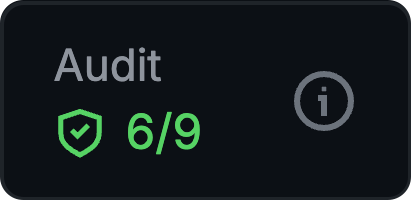
Quickly access Audit Results by hovering over the Audit card OR in the dropdown below the swap module.
{% endcolumn %}
{% column %}
{% endcolumn %}
{% endcolumns %}
{% columns %}
{% column valign="middle" %}
Trojan provides **in-depth token** **audits** for every token, **highlighting potential risk factors.** The audit evaluates key metrics, including:
* Token ownership statistics;
* Launch distribution;
* Token contract functions and mechanics;
* Dev Holdings and so much more.
{% endcolumn %}
{% column valign="middle" %}
{% endcolumn %}
{% endcolumns %}
***
### Token Statistics
{% columns %}
{% column valign="middle" %}
* Click across four timeframes (5M, 1H, 6H, 1D) to **view key stats**.
* Current Price, Fees Paid, [Audit Score](#security-audit), 24H Volume, Liquidity. Buys and Sells, Tx, Volume, Makers.
{% hint style="info" %}
**Fees Paid** displays real-time validator fees paid for this token. **Hover to see the breakdown of Gas Fees versus Trading App Fees**, helping detect potential bundled launches by comparing fees to volume and market cap. 
{% endhint %}
{% endcolumn %}
{% column valign="middle" %}
{% endcolumn %}
{% endcolumns %}
***
### Swap Module
{% columns %}
{% column valign="middle" %}
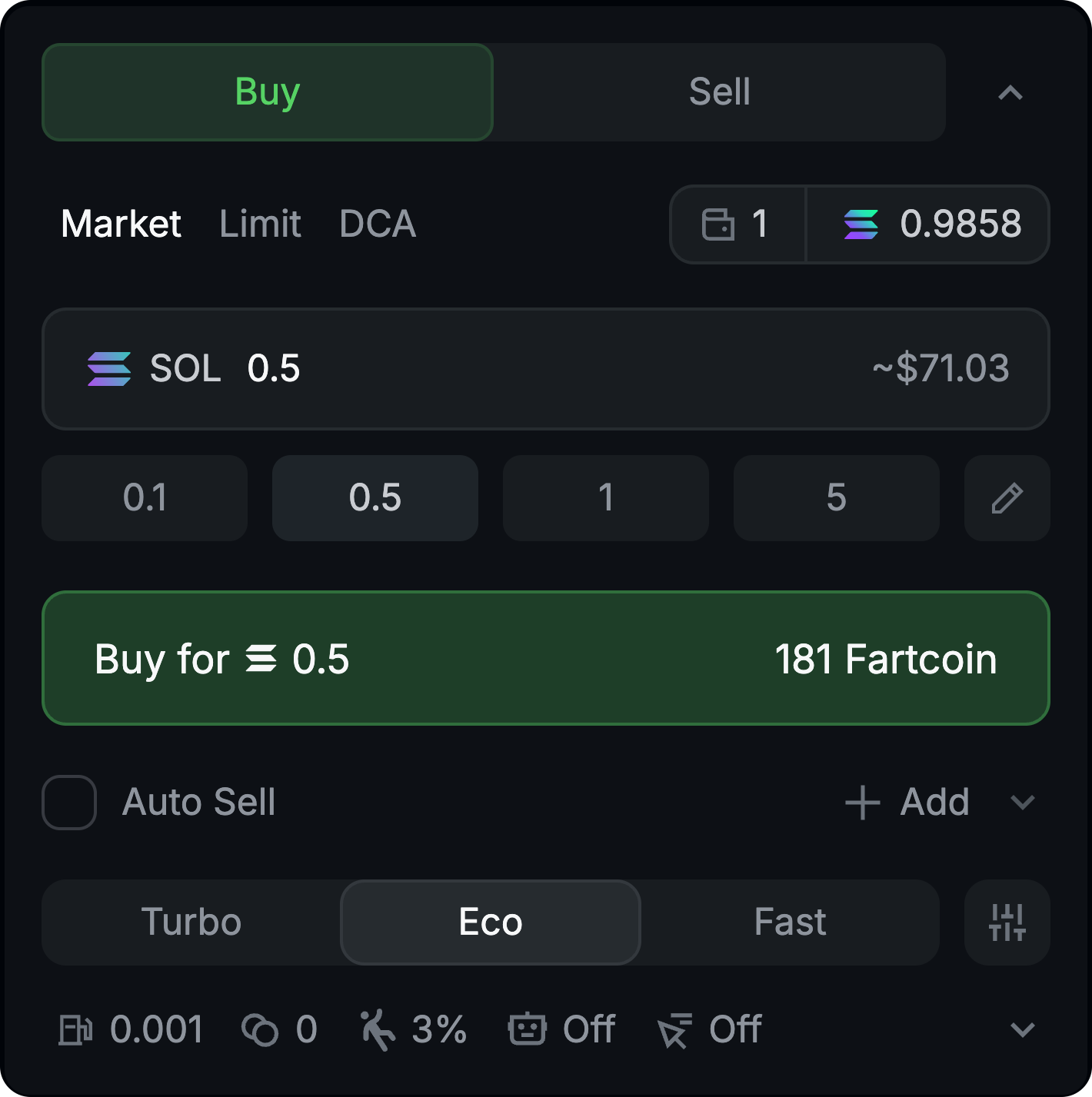
The Swap Module is where you **make your trades.** Dial in your settings and let it fly.
{% hint style="success" %}
For an in-depth discussion on swap types and step-by-step guidance head to: [Swaps](/trading-on-trojan/trojan-swaps.md)
{% endhint %}
{% endcolumn %}
{% column valign="middle" %}
{% endcolumn %}
{% endcolumns %}
***
## Additional Insights
Need more information? Check these other drop-downs. You won't always look at everything but, Trojan delivers everything you need.
### HolderScan
{% columns %}
{% column width="50%" valign="middle" %}
Are other traders offloading or\
jumping on board?\
\
**HolderScan** has the answer.
{% endcolumn %}
{% column width="50%" valign="middle" %}
{% endcolumn %}
{% endcolumns %}
***
### Dev Scanner
{% columns %}
{% column valign="middle" %}
Use **Dev Scanner** to see what else\
the Dev has launched.
{% endcolumn %}
{% column valign="middle" %}
{% endcolumn %}
{% endcolumns %}
***
### Similar Tokens
{% columns %}
{% column valign="middle" %}
Want to protect yourself from copycats?
Looking for Alpha in a sea of Betas?
**Similar Tokens** is your landing spot.
{% endcolumn %}
{% column valign="middle" %}
{% endcolumn %}
{% endcolumns %}
***
### Holder Analytics
{% columns %}
{% column width="50%" valign="middle" %}
Who are the major players in this token?\
\
What was the bundle like?\
\
Find out with **Holder Analytics**.
{% endcolumn %}
{% column width="50%" valign="middle" %}
{% endcolumn %}
{% endcolumns %}
***
### Token Performance
{% columns %}
{% column width="50%" valign="middle" %}
How far are we from a token's ATH?\
\
**Performance** has your answer!
{% endcolumn %}
{% column width="50%" valign="middle" %}
{% endcolumn %}
{% endcolumns %}
***